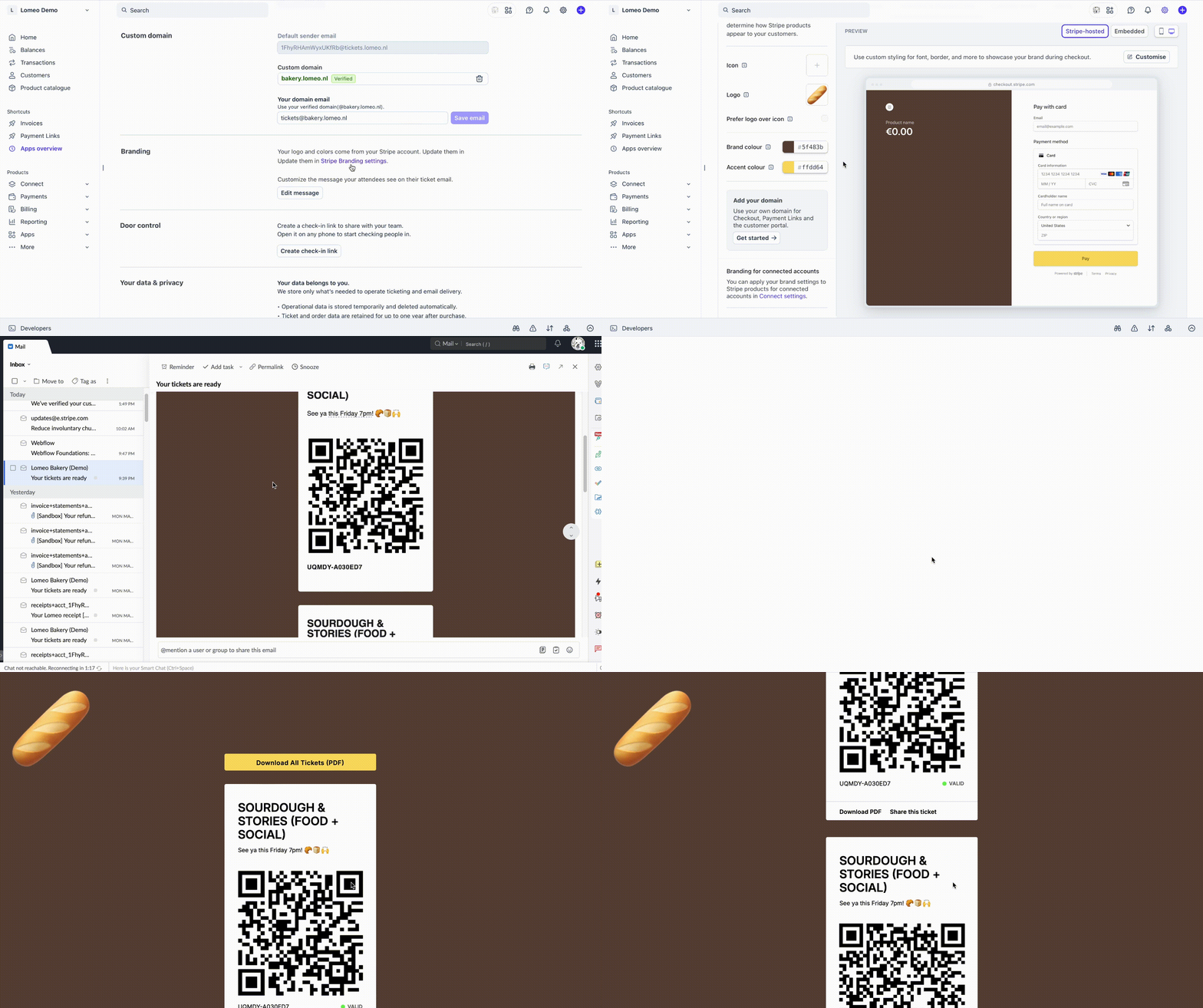
Branding colors and logo via Stripe
Lomeo uses your Stripe Branding settings to create a consistent experience for attendees from checkout to ticket delivery.
Navigate to your Stripe Branding settings, add a logo, set your Brand colors and Accent colour, then save. Your ticket email and ticket page (linked from the email) will automatically show your logo and brand colors.