Lomeo
  • Home
  • Features
  • HOW to
  • pricing
  • Install on stripe
Getting started Mark products as tickets Check ticket orders Door control and check-in Account customization Branding colors and logo Add your own domain Embedded cart

Add your own domain

Sending tickets from your custom email address creates a more professional experience for your attendees.

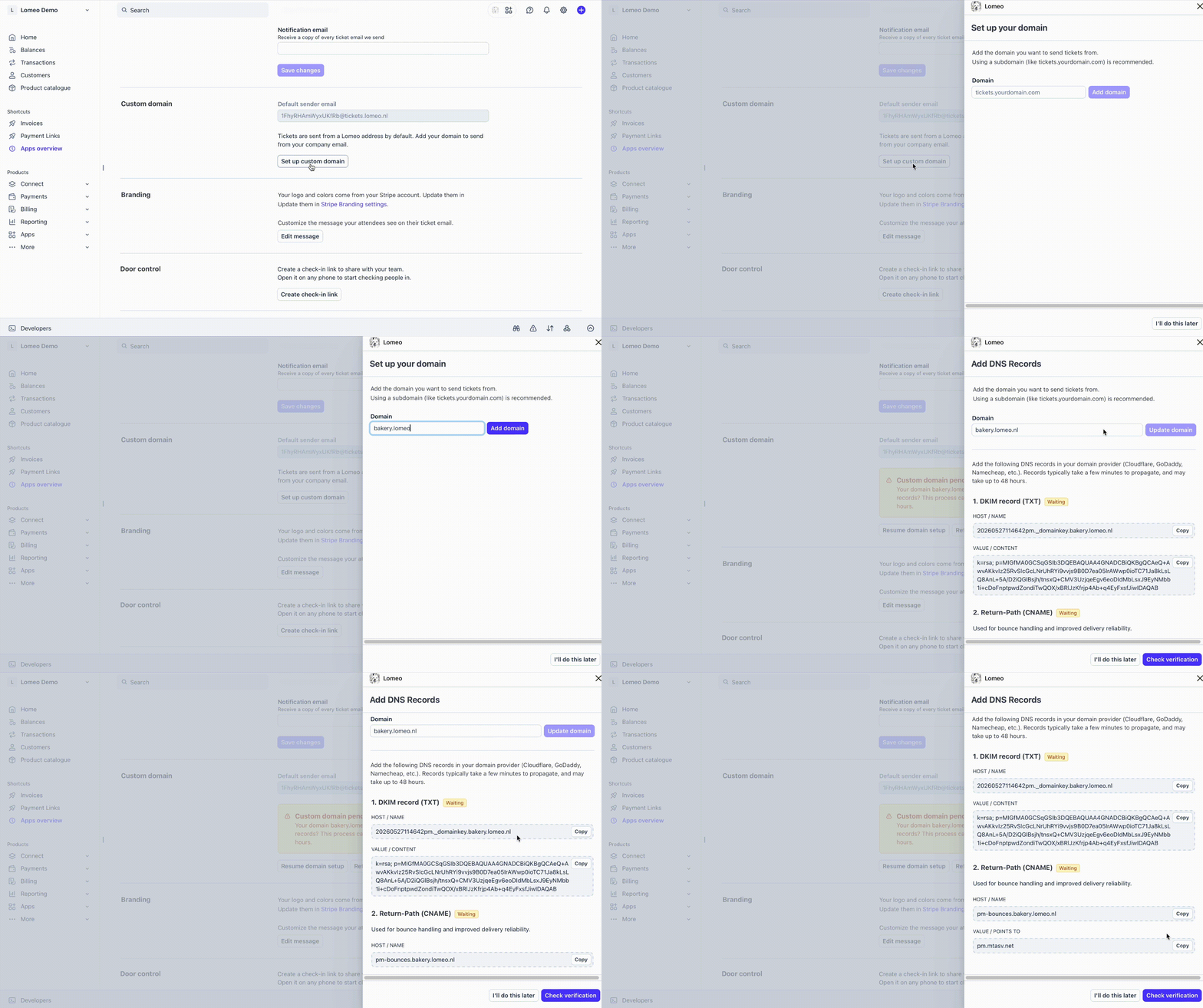
Scroll down to the Custom domain section and enter your domain. Follow the prompts to retrieve your DNS records, then add those records to your domain’s DNS settings.
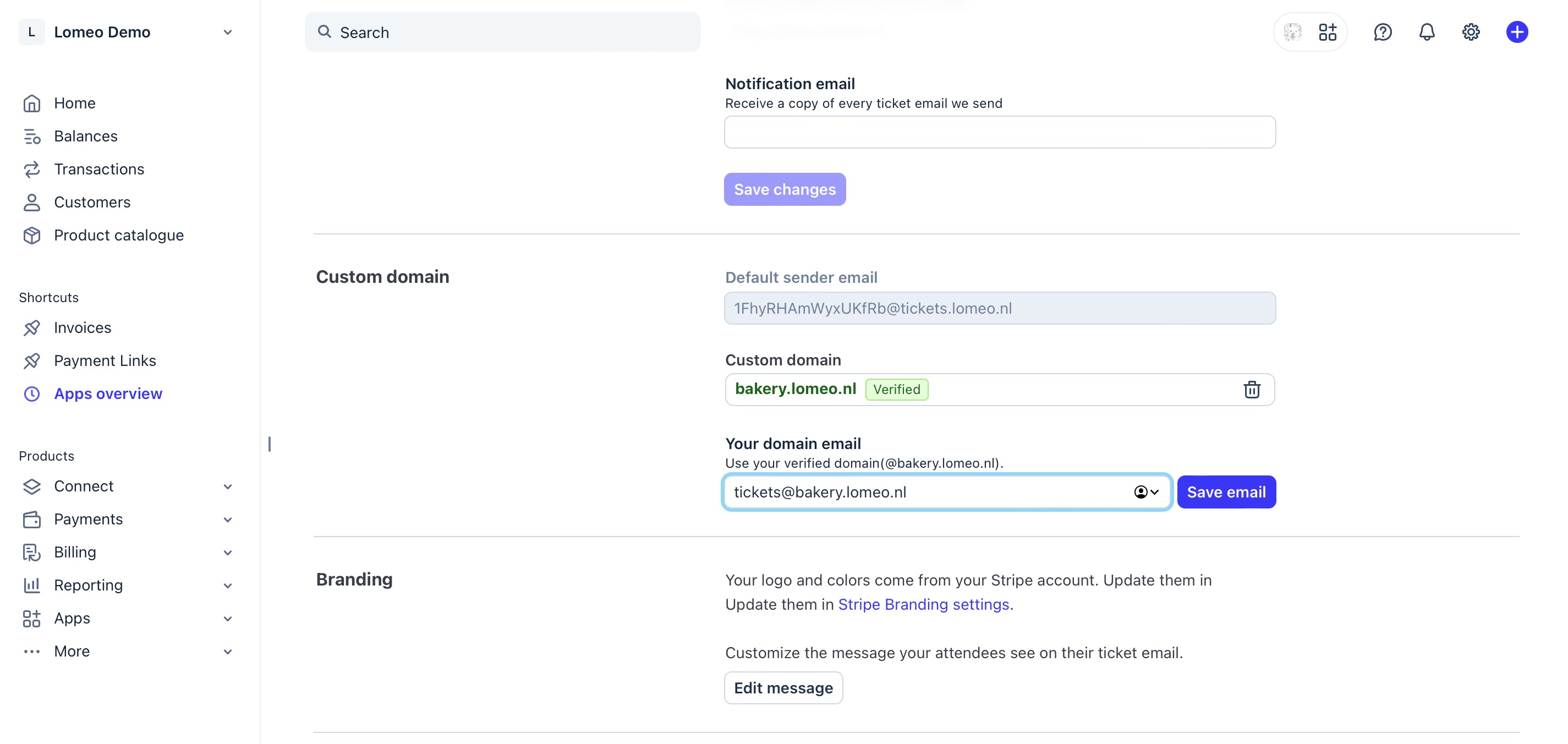
After your domain completes successful verification, be sure to set your sending email address — for example, [email protected].
Lomeo
Home features How to lomeo pricing
Thank you! Your submission has been received!
Oops! Something went wrong while submitting the form.
© 2026 LOMEO
Privacy statement Terms and conditions [email protected]